What’s New?
We’ve rolled out mobile UI enhancements to improve how customers
sort and filter
products across your ecommerce store. These updates ensure a cleaner layout, better usability, and a smoother shopping experience on mobile devices—helping shoppers find the right products faster.Improved Sorting Experience (Mobile)
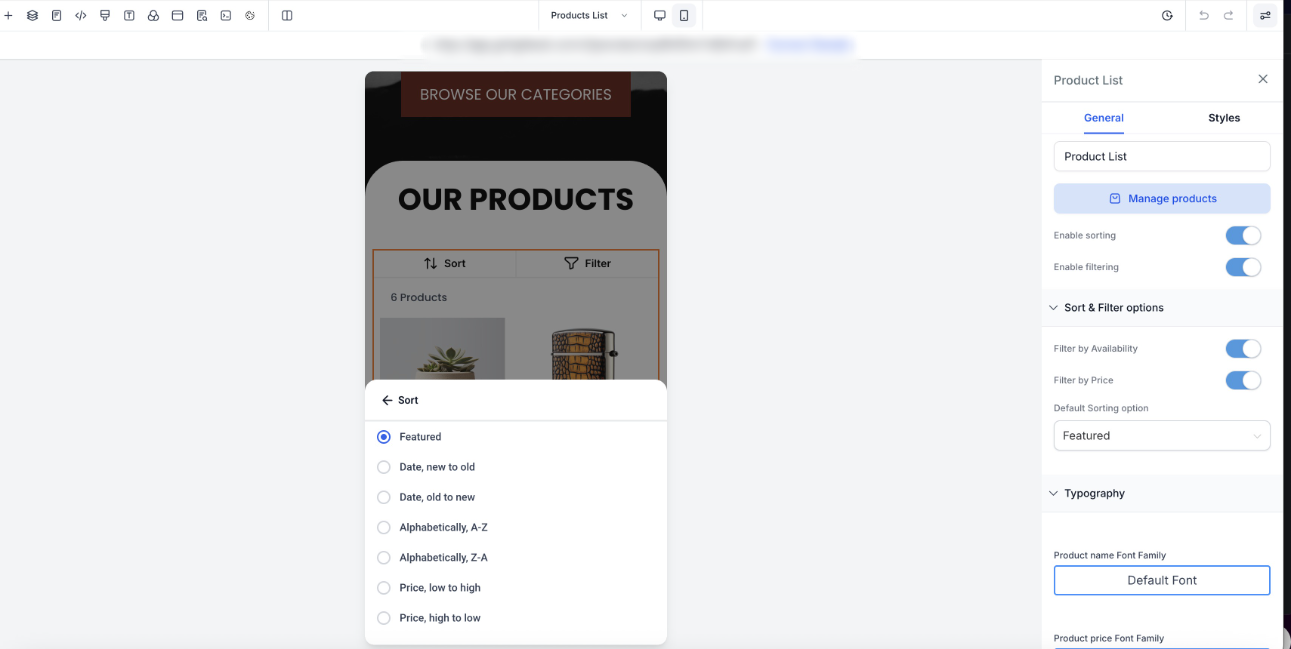
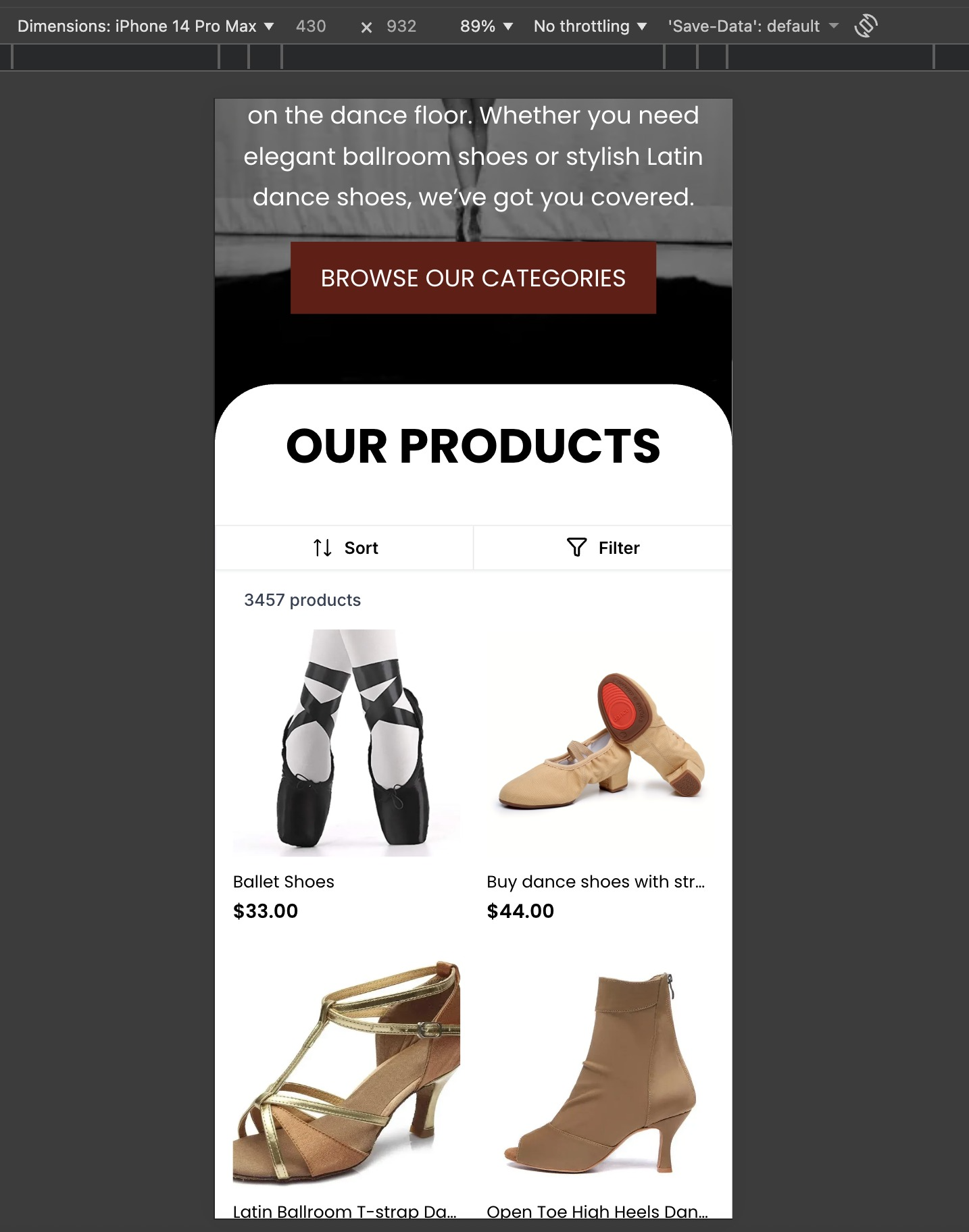
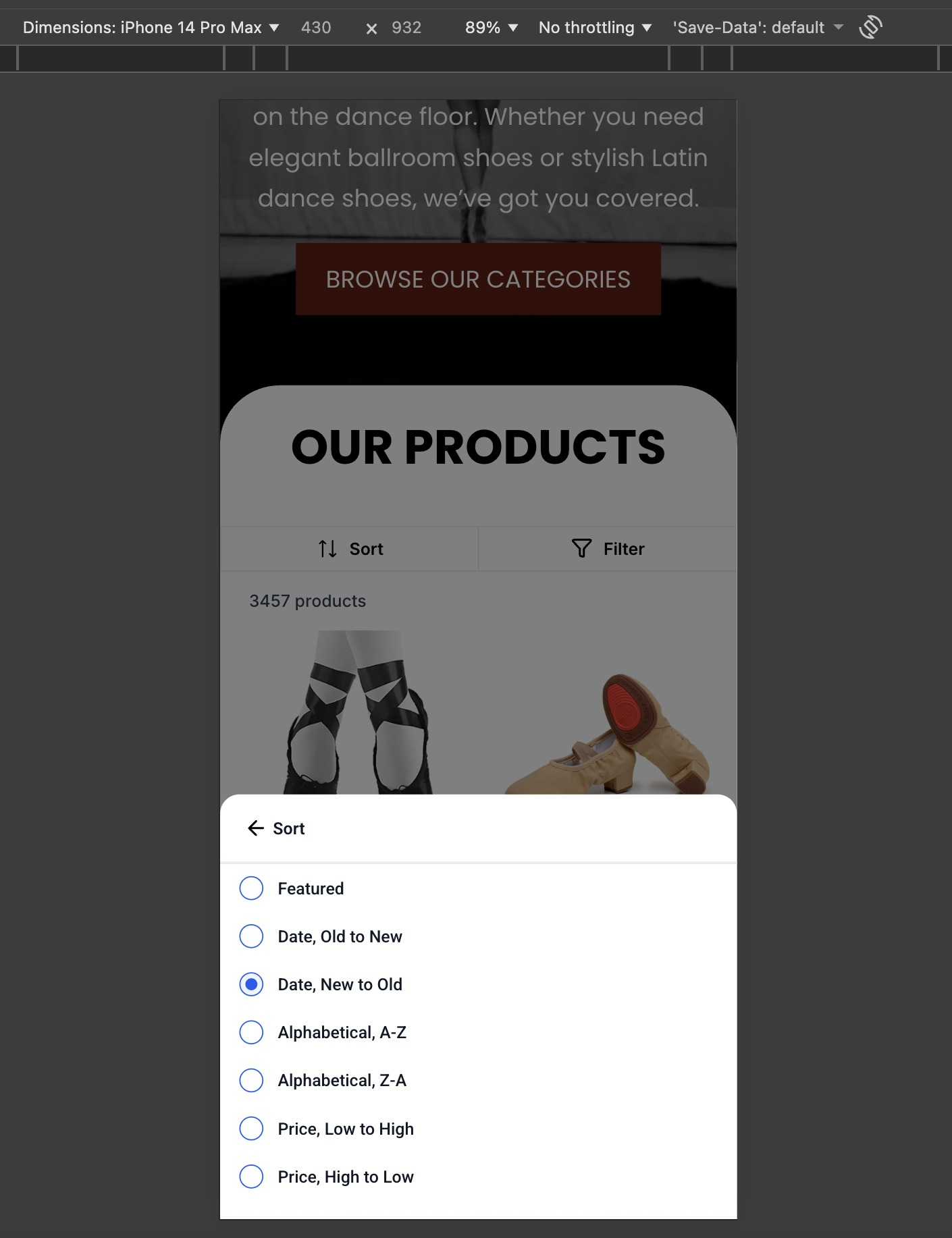
- A dedicated “Sort” buttonnow appears in the top bar of the Product List Page (PLP) on mobile.
- Tapping the button opens a bottom sheet modal with sorting options such as:
- Date
- Alphabetical
- Price
- Users can easily dismiss the sort modal by tapping outside or swiping down.
Enhanced Filtering Experience (Mobile)
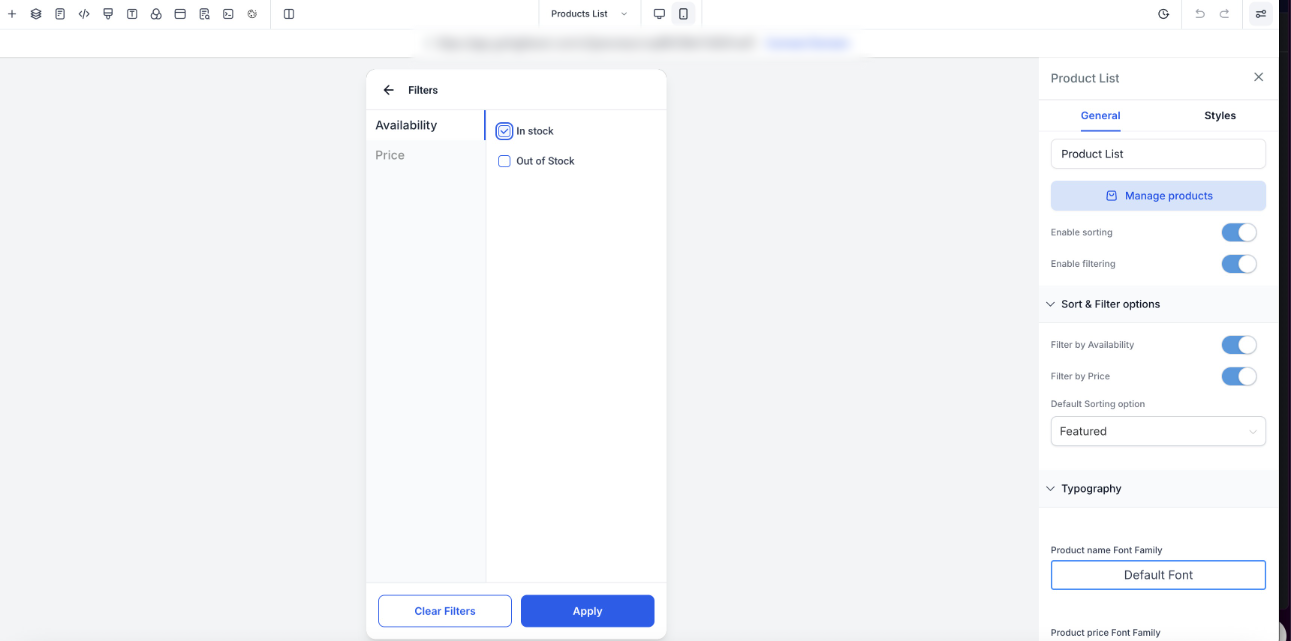
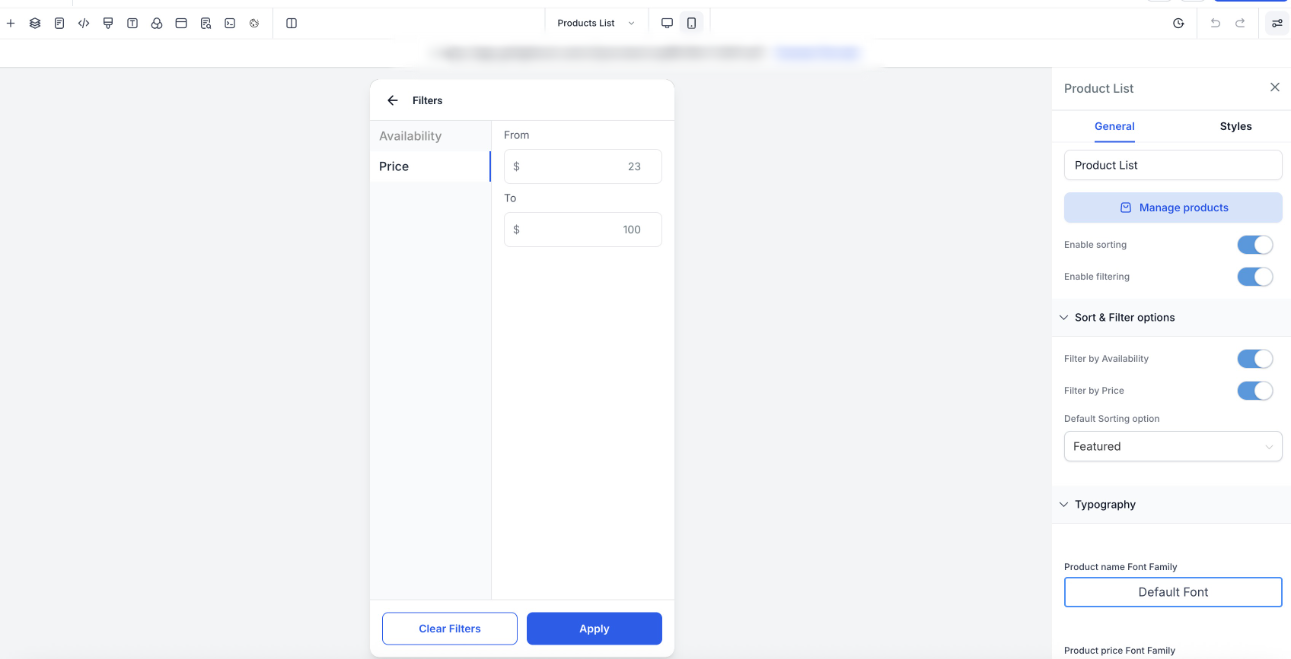
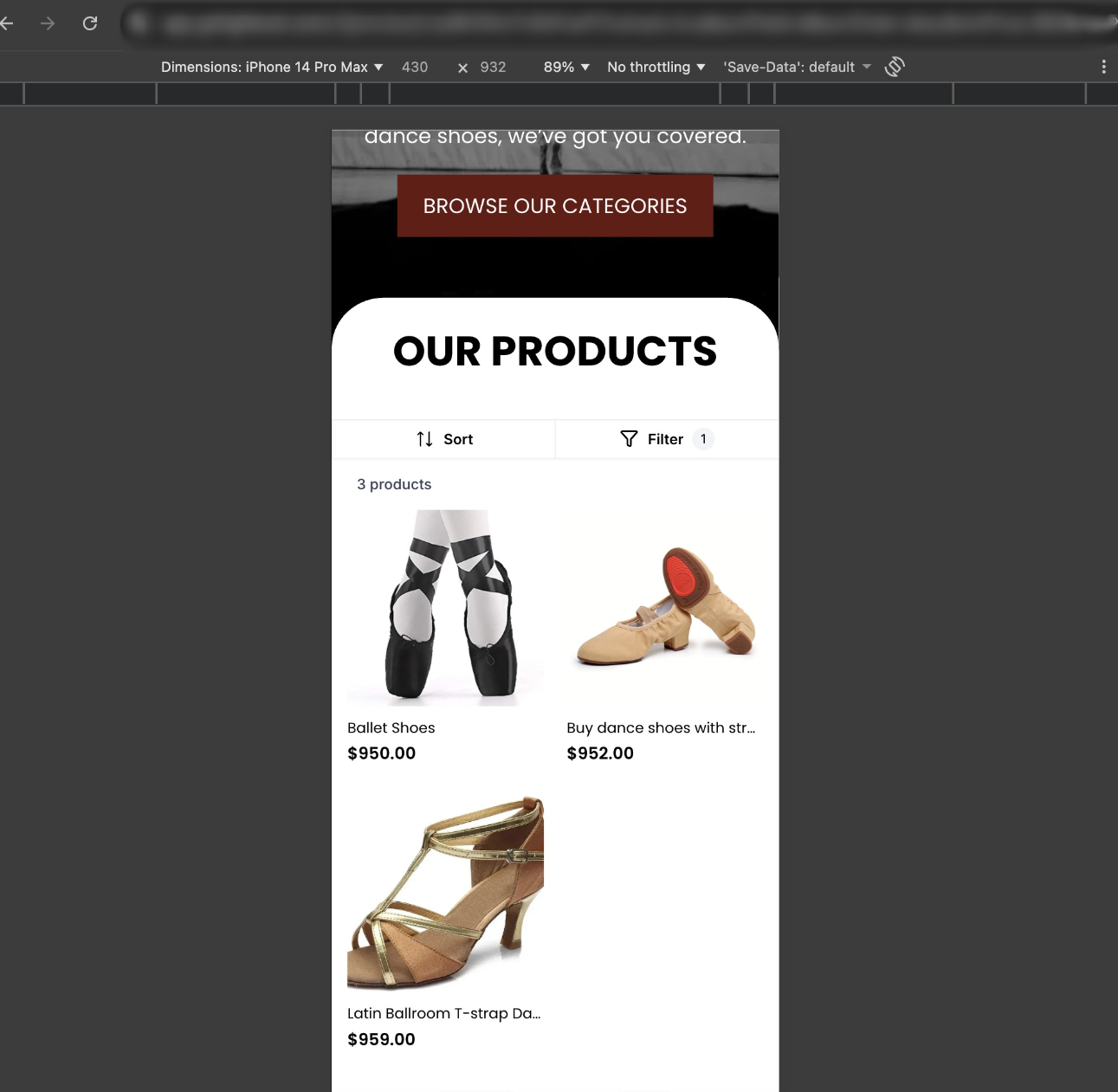
- A “Filters” buttonis now available in the PLP top bar.
- Filters open in a full-screen modal, optimized for mobile interaction.
- Available filter options include:
- Availability:In Stock / Out of Stock (both selected by default)
- Price Range:“From” and “To” numeric inputs
- A sticky footerkeeps “Apply” and “Clear Filters” buttons always accessible.
- Active filters are indicated via a badge count on the Filters button.
- Product results update accurately based on applied filters.
Product Visibility Improvements
- The total product count is now visible on the Product List Page.
- The count dynamically updates as filters are applied or cleared, giving customers better context while browsing.
Builder & Customization Support
- Store owners can preview sorting and filtering interactions directly in the mobile builder preview.
- Customization options include:
- Background color for the Sort/Filter bar
- Text color for Sort and Filter buttons
- Styling for Apply and Clear buttons in the filter modal
Why This Matters
- Creates a cleaner, more intuitive mobile shopping experience
- Reduces friction when browsing large product catalogs
- Improves clarity, accessibility, and conversion potential on mobile devices
Key Points to Note
- These improvements apply across mobile views of the Product List Page.
- Sorting and filtering interactions are fully optimized for touch and small screens.
Images
Was this article helpful?
That’s Great!
Thank you for your feedback
Sorry! We couldn't be helpful
Thank you for your feedback
Feedback sent
We appreciate your effort and will try to fix the article